Guides / Your own web address
Your own web address
Pro and Business · one DNS record, about ten minutes plus waiting time.
Your client pages start at yourcompany.surveydeliver.io. With your own address they show at, for example, deliver.yourcompany.com, with the secure certificate set up for you. Your main website isn't affected, and the surveydeliver.io address keeps working.
1. Choose the address
Pick a subdomain of your website's domain, such as deliver., survey. or data.. It must be a subdomain: yourcompany.com itself can't be used.
2. Add it in the console
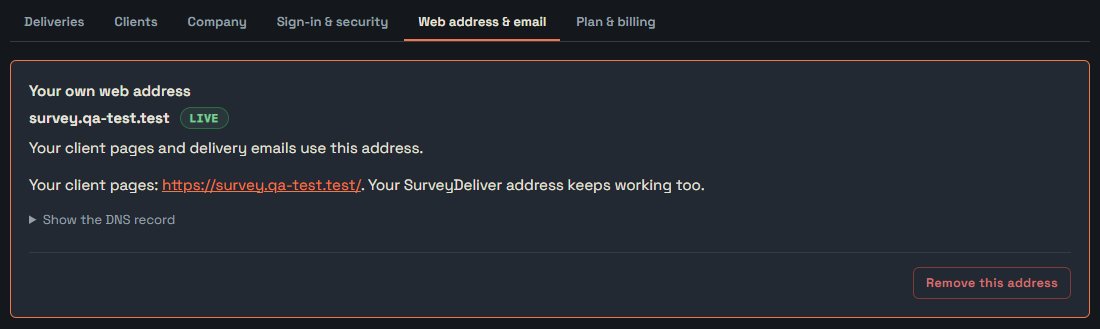
Open Web address & email, type the address and press Use this address. The console then shows the DNS record to add:
3. Add the record at your DNS provider
Log in where your domain's DNS is managed (usually where you bought the domain, or your web host or IT person), open the DNS settings and add a CNAME record with that name and target.
- Some providers want the full name (
deliver.yourcompany.com) instead of justdeliver. - If your DNS is on Cloudflare, set the record to DNS only (grey cloud).
- Leave the TTL at its default.
4. Wait for "Live"
The console checks by itself, and Check now asks again straight away. The status goes from Waiting for DNS to Setting up (the secure certificate) to Live, usually within minutes, sometimes a few hours. From then on, new client links and emails use your address.
Keep the record in place: if it's removed, the address stops working. Remove this address switches your pages back to the surveydeliver.io address.