
The last step of every survey, handled properly.
You did the flying, the processing and the QA — then sent a link your client couldn't open, let alone understand.
Upload the files you already export. We turn them into a map and a 3D view automatically: no GIS software, no tiling, no web server. Your client gets a link with your name on it, the viewers and the downloads. Nothing to install, nothing to explain.
14-day trial, no card needed. The sample opens in a new tab, exactly as a client sees it.
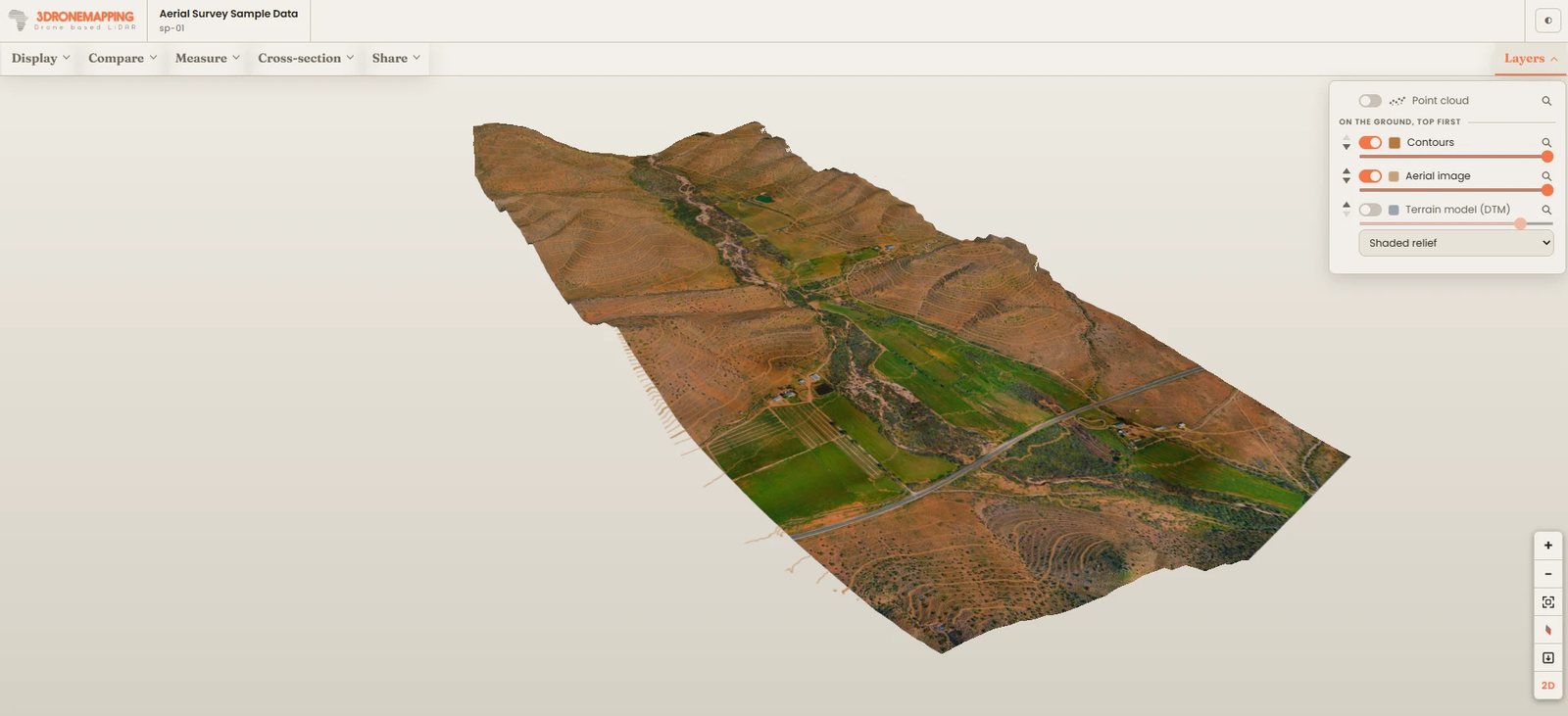
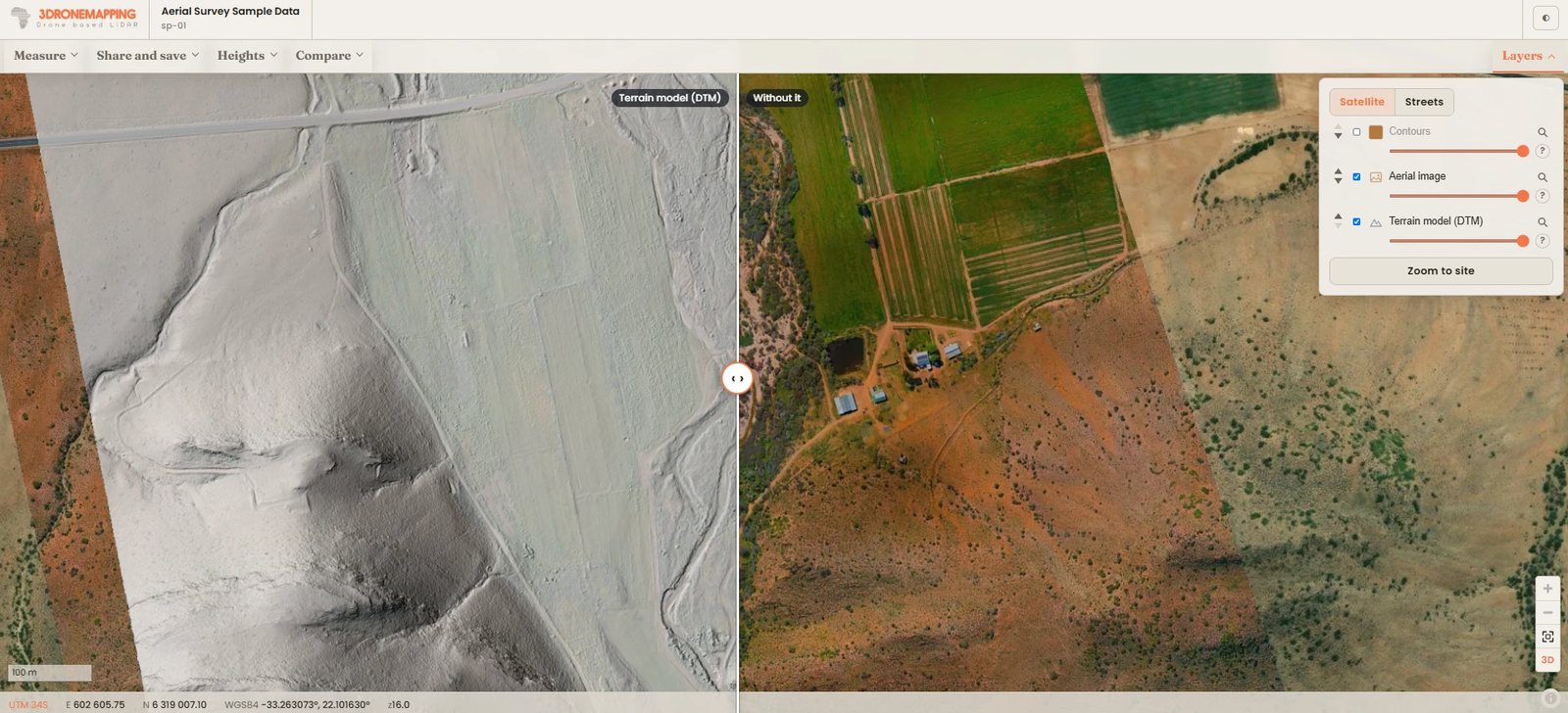
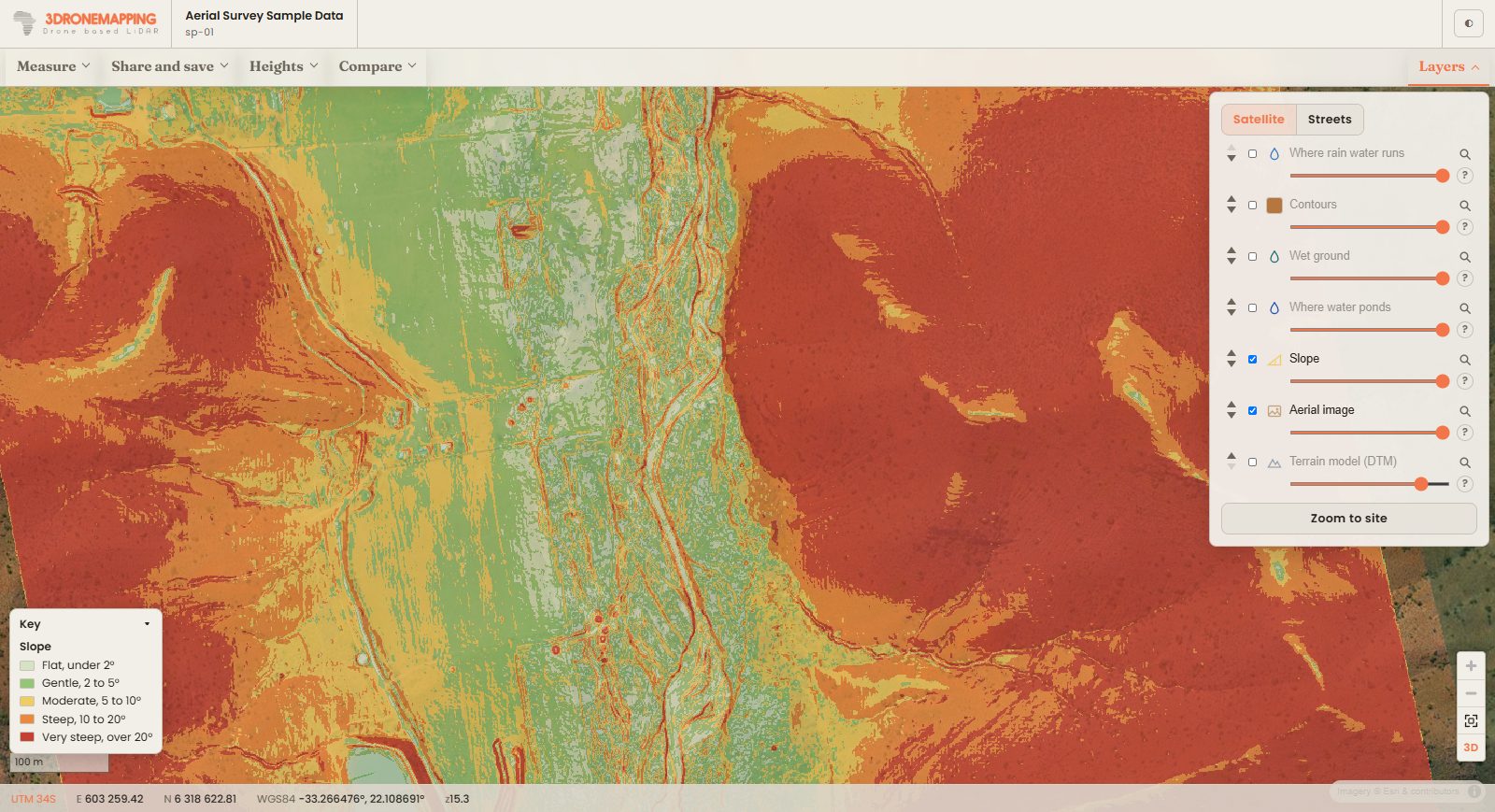
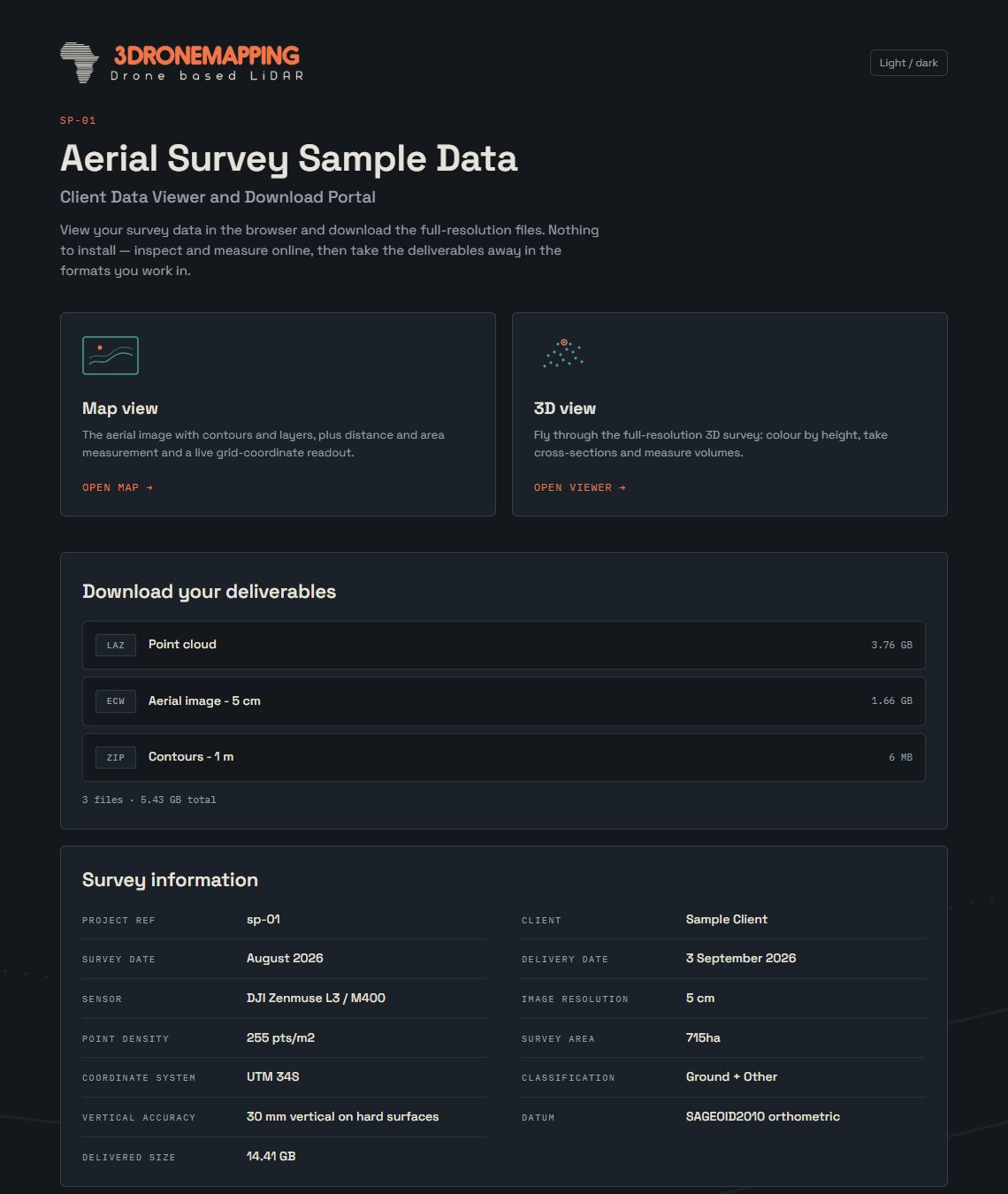
A real sample delivery. Open it yourself (opens in a new tab).
What your client gets
Map and 3D in one window
One button switches between the map from above and the survey in 3D. In 3D the aerial image lies on the shape of the ground, with the contours and the other layers on it, and the point cloud on top.
Tools that answer questions
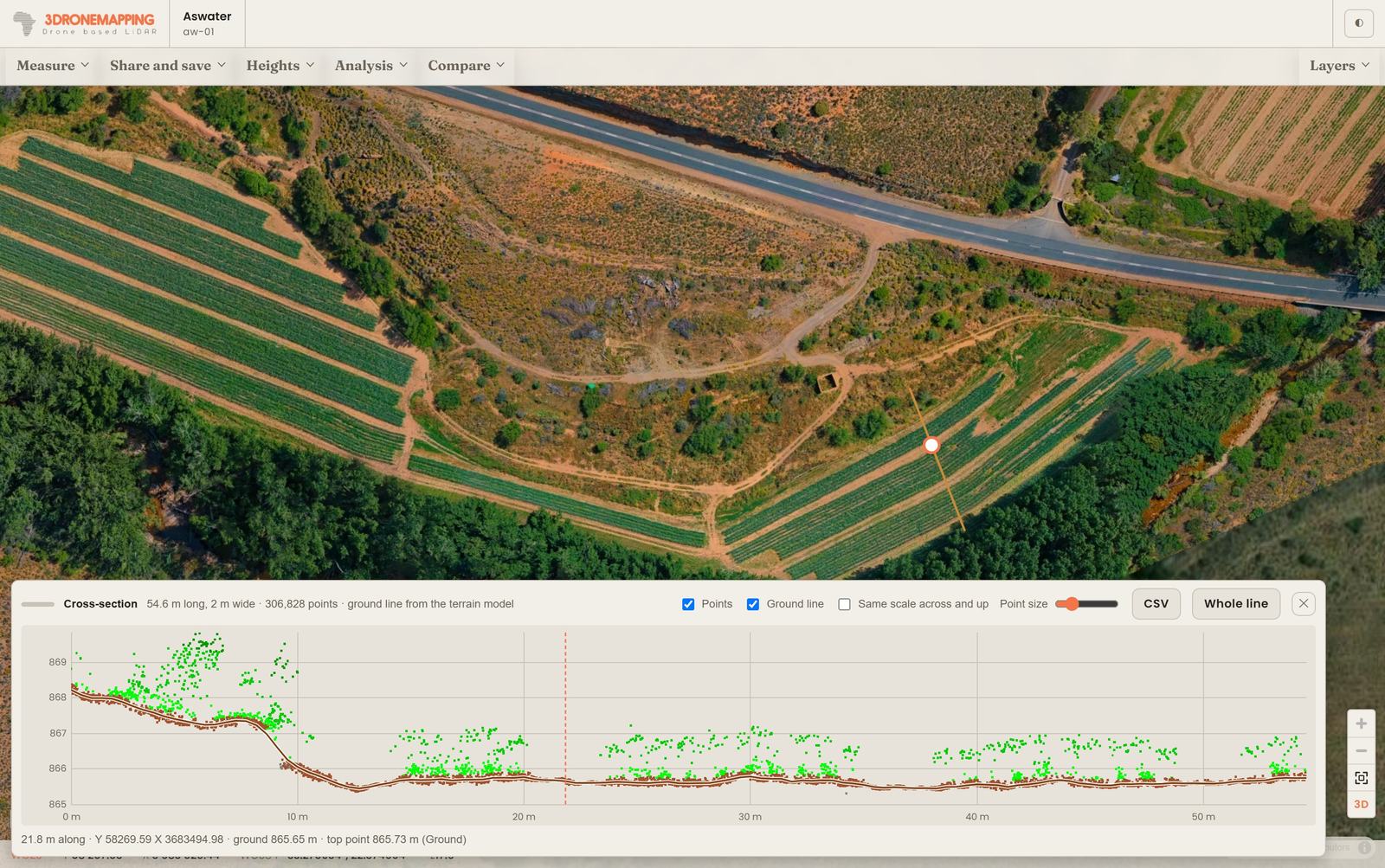
Distances, areas and spot heights; a ground profile along any line; the volume of a stockpile or a cut; cross-sections through the point cloud; any two layers side by side with a swipe.
Plain words, not GIS
Every layer has a "?" that says what it shows and how to read it, and coloured layers come with a key. Your client never needs to know what a DTM is.
Notes, prints and drawings
Pin a note to a spot (you get an email), print the map or save it as a PDF with a title block, save measurements for CAD, Google Earth or a spreadsheet, or share a link to the exact view.
The downloads
Every original file with a plain name and its size, largest first or A to Z, as you choose. Big downloads carry on if the connection drops.
Your name on it
Your logo and colours on your own address, a light or dark page, a login per delivery and an expiry date you set.
Maps of the ground, made for you
Upload a terrain model (DTM: a GeoTIFF of bare-ground heights) and four maps are worked out from it automatically. Nothing to install and nothing to set up.
- Slope: how steep the ground is, in five bands from flat to very steep, with each band's share of the site.
- Where rain water runs: the drainage lines, thicker for bigger streams.
- Where water ponds: hollows where rain stands after a storm, and how deep.
- Wet ground: the dampest parts of the site.
And four tools your client works with on the map, straight from the elevation model:
- Line of sight: can one spot be seen from another, and if not, what is in the way.
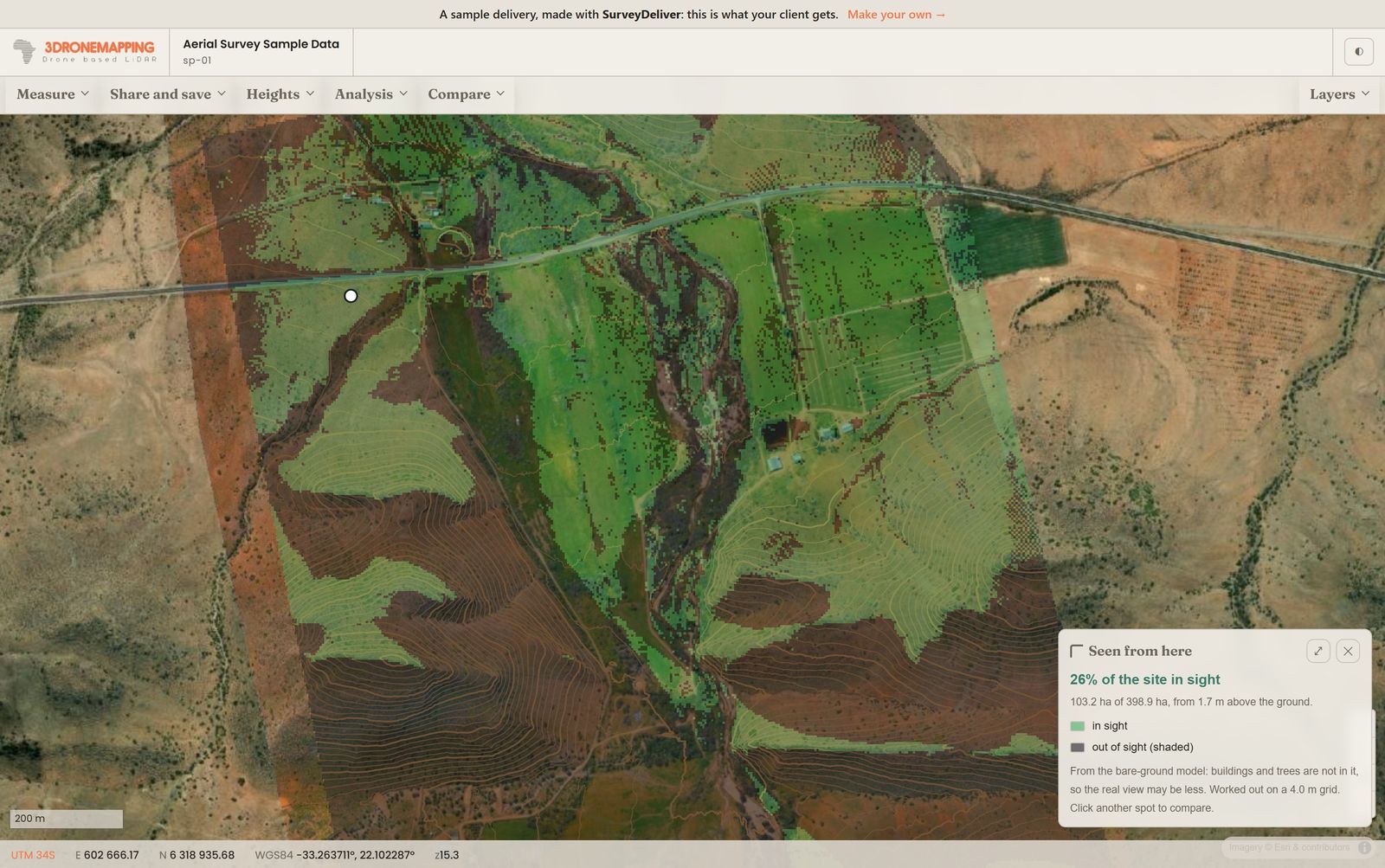
- Seen from here: everything in view from one spot, the rest shaded.
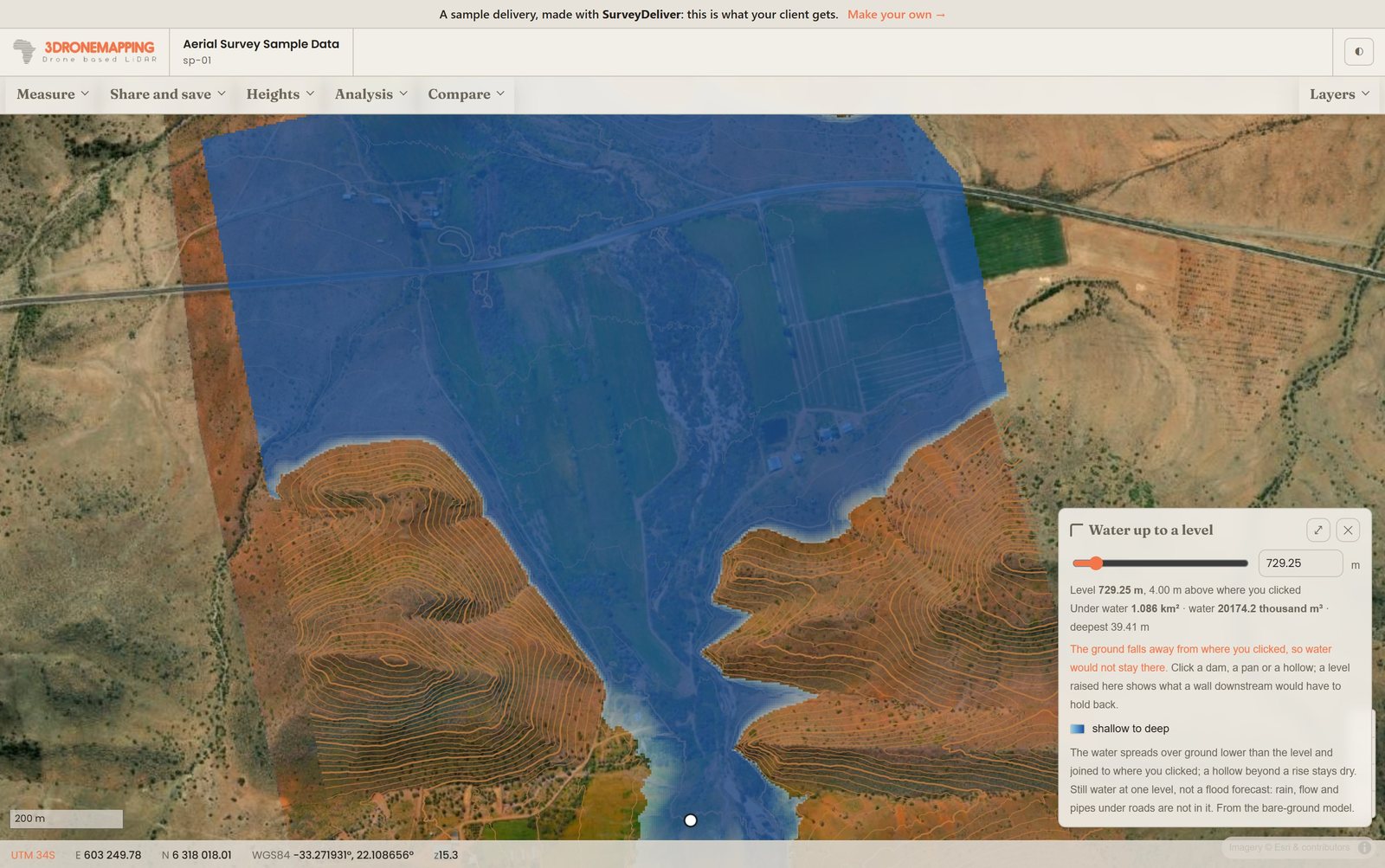
- Water up to a level: raise the water in a dam or low spot and see what goes under, with the area and the volume of water.
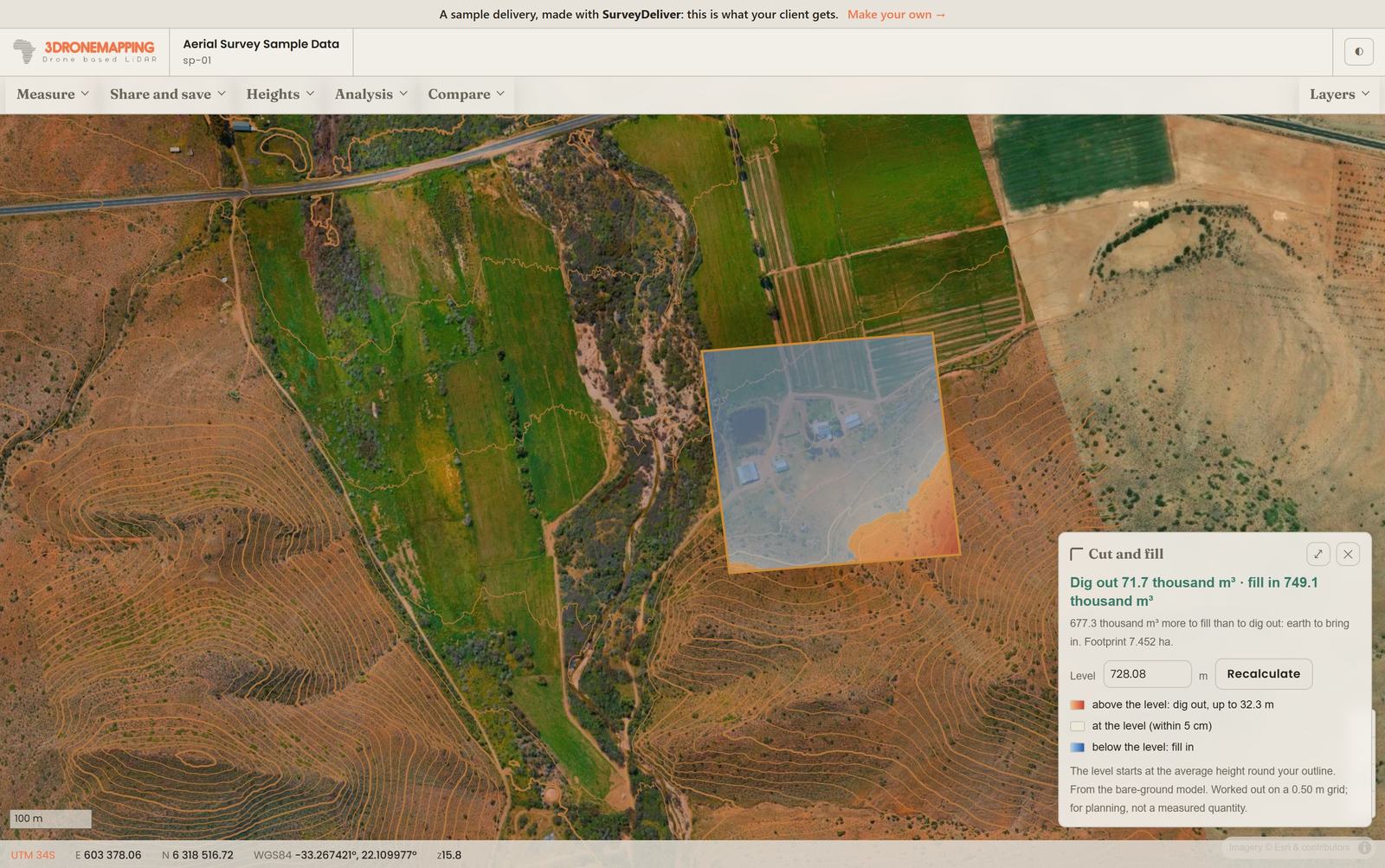
- Cut and fill: draw an area and set a level to see what to dig out and what to fill in, with volumes.
You choose which maps and tools each client sees. The maps show on the map and in 3D, switched off until your client opens them.
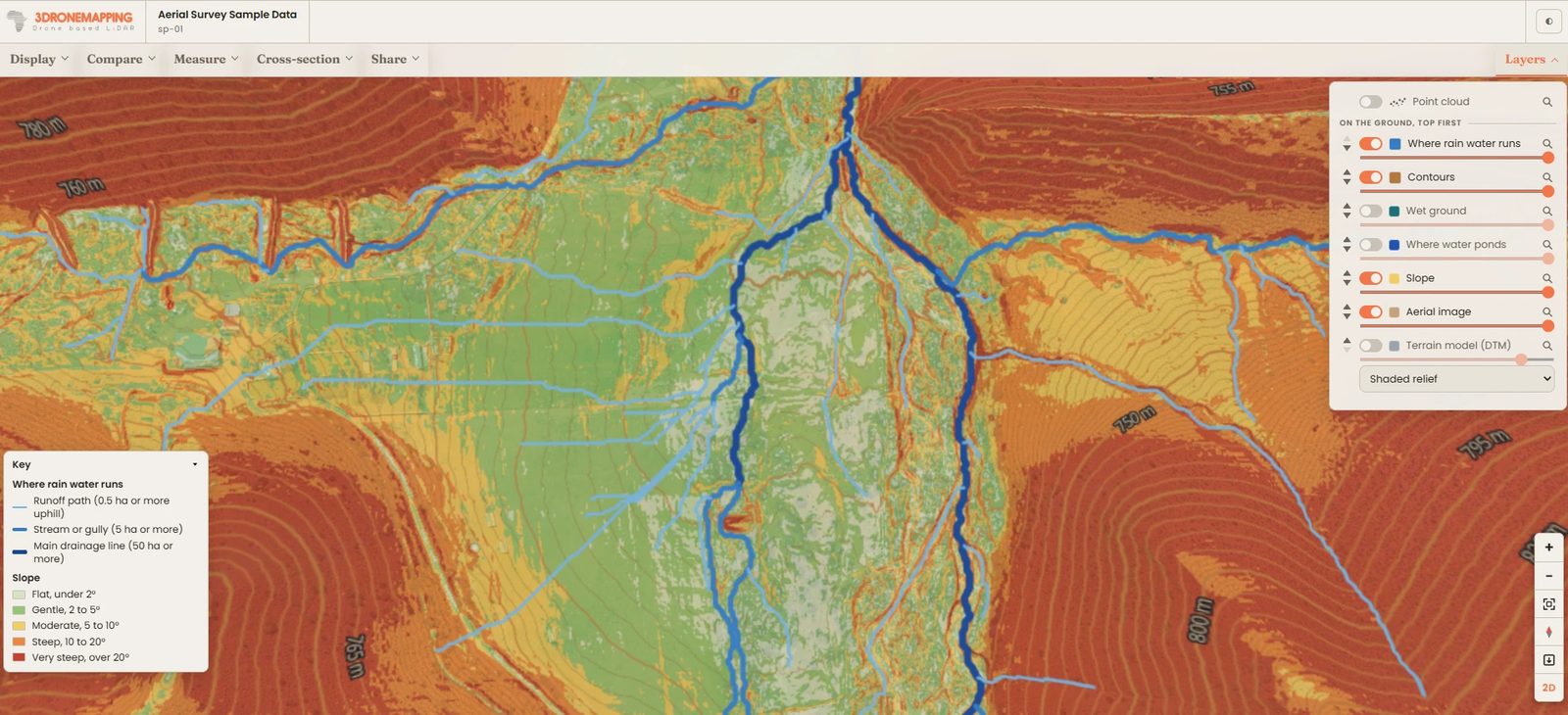
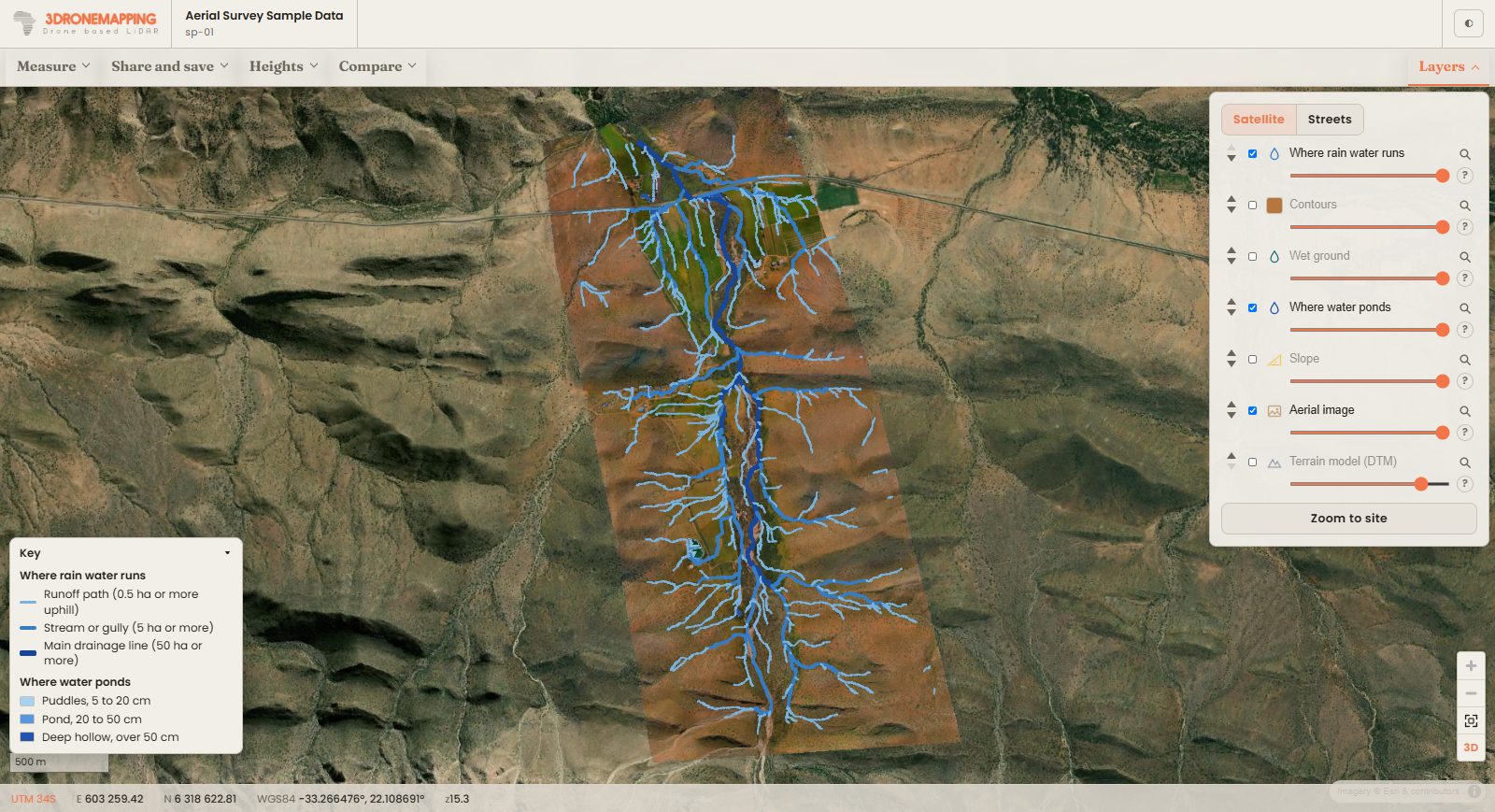
Answers on the map, not in a GIS program
Your client clicks, the answer appears on their screen. On the map and in 3D, from the files you delivered. Try them on the sample.
Upload it. We convert it.
Works with the results from Pix4D, Agisoft Metashape, DJI Terra, WebODM and any software that exports standard formats: step-by-step guides.
Getting survey data onto the web usually means extra software and a lot of know-how: tiling the aerial image, converting the point cloud, reprojecting layers, hosting it all somewhere. SurveyDeliver does that part for you. Drop in your files and they come out ready to view, on the right spot on the map.
Aerial images and elevation
GeoTIFF, or a plain TIFF with its world file (.tfw). Big orthomosaics are fine.
Point clouds
LAS and LAZ, straight out of your processing software, ready to view in 3D.
Contours and line work
Shapefiles, DXF, GeoPackage, GeoJSON and KML, zipped or not.
Your coordinate system
Local grids such as South African Lo systems and UTM zones are read from your files and placed correctly. If something is missing, you are asked in plain words before you upload.
You decide what each file is for
On the map or in 3D, a download for your client, or both. Rename a file, or keep one for the viewer only.
Straight from your processing PC
Give the computer that processes your surveys an upload key and it sends finished files itself, overnight or from a script. Big files go up in parts and carry on where they stopped if the line drops.
How it works
- Upload your finished deliverables: aerial images, elevation models, contours, vector layers and point clouds, in the formats you already export. Drag them into your console, or let your processing computer send them with an upload key.
- Checked before they leave your computer. Coordinate system, zone, extent, a preview on a map, size and upload time: anything that will not show properly is flagged in plain words before the upload starts, not after. Then we convert them automatically.
- Pick what your client sees, then send the link. Choose the downloads, the maps of the ground and how the map opens. Your client opens the link in any browser, on any device. Nothing to install.
Try it with a job you've already delivered
Upload the files from one finished survey and send yourself the link. It takes about as long as the upload. 14 days, no card needed; if it isn't for you, do nothing and the trial ends.
Simple pricing
From $29 a month. Start with a 14-day trial, no card needed, then pick the plan that fits. Slow internet or very large datasets? We can process them for you and send the delivery back, online or on a drive your client can open offline.